
Appearance
Y301 ControlLink Series Serial I/O Modules User Manual
Applicable models: Y301-220, Y301-222, Y301-440, Y301-444, Y301-880.
- Y301-220/222 Specification | Technical Manual
- Y301-440/444 Specification | Technical Manual
- Y301-880 Specification | Technical Manual
Product Overview
ControlLink modules are serial I/O modules with digital inputs (DI), relay outputs (DO), and optional analog inputs (AI). They connect via RS485 using Modbus RTU, suitable for pump, fan, valve, lighting, and sensor applications.
Key features:
- Integrated DI and DO on all models
- RS485 standard; RS232 and TTL available on selected models
- 5-36 VDC power supply
- Dry and wet contact DI support
- Relay outputs for valves, lights, alarms, and contactors
- AI on Y301-222 and Y301-444; order the voltage or current terminals required by the sensor
- DIN-rail or screw mounting
Model Naming

The positions after Y301- represent DI / DO / AI / AO channel counts on one module. 0 means no channels of that type. Models without AO use three characters for DI, DO, and AI; models with AO retain the fourth position.
| Code | Channel count |
|---|---|
0–9 | 0–9 |
A | 10 |
G | 16 |
W | 32 |
Interface options are specified separately from the I/O code; use the configuration table in the relevant specification.
For example, Y301-220 has 2 DI and 2 DO with no analog I/O; Y301-222 adds 2 AI. Y301-444 has 4 DI, 4 DO, and 4 AI. All ControlLink models listed in this manual have no AO.
Model Selection
| Product | Model | DI | DO | AI | Recommended Use | |
|---|---|---|---|---|---|---|
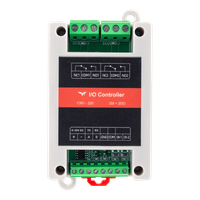 | Y301-220 | 2 | 2 | 0 | Small-scale control and monitoring | More Details |
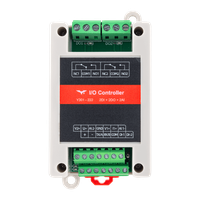 | Y301-222 | 2 | 2 | 2 | Mixed switch, relay, and sensor applications | More Details |
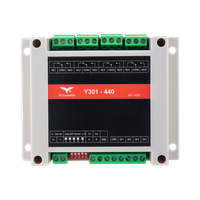 | Y301-440 | 4 | 4 | 0 | Multi-channel digital acquisition and control | More Details |
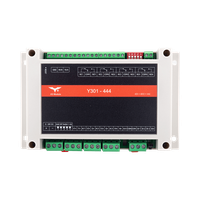 | Y301-444 | 4 | 4 | 4 | Combined digital and analog acquisition | More Details |
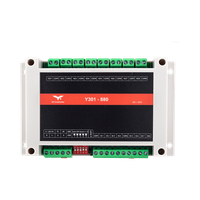 | Y301-880 | 8 | 8 | 0 | High-density digital acquisition and relay control | More Details |
Default Parameters
| Parameter | Default Value |
|---|---|
| Communication protocol | Modbus RTU |
| Device address | 1 |
| Baud rate | 9600 bps |
| Data bits / Stop bits / Parity | 8 / 1 / None |
| Power supply | 5-36 VDC |
Note: Each RS485 device must have a unique address. Changes to address or baud rate require a restart. If communication fails, verify address, baud rate, A/B polarity, and GND connection.
Hardware Interfaces (Y301-444 Example)
The following uses Y301-444 (4 DI, 4 DO, 4 AI) as an example.
| Interface Area | Terminal | Description |
|---|---|---|
| Power | +, - | 5-36 VDC; use the terminal labels on the supplied module |
| Communication | A, B, GND | RS485 terminals |
| DI Input | DI1-DI4, COM/COM-, COM+ | Inputs, common reference, and supply positive |
| DO Output | COMn, NOn, NCn | Relay output; n = channel number |
| AI Input | Vn+, In+, AIn- | Voltage positive, current positive, and signal return; n = channel number |
| DIP Switch | SW1~SW5 | Address offset; see technical manual |
| Reload Button | Reload / Reset | Restore defaults or restart |
DO terminal definitions:
COM: CommonNO: Normally open (closes when relay on)NC: Normally closed (opens when relay on)
Wiring precautions:
- Power off before wiring
- Use shielded twisted pair for RS485; add 120Ω termination at both ends of long runs
- Add flyback diodes, RC snubbers, or surge protection for inductive loads
- Relay rating: 277 VAC / 10 A or 28 VDC / 10 A
DI Wiring Diagram
DI channels collect signals from switches, sensors, and contacts.
Dry Contact Input
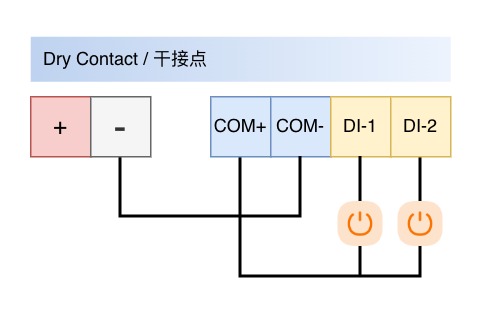
Connect supply negative to COM-. Each external contact links COM+ (module supply positive) to its DI terminal. Check the terminal labels on the supplied hardware before wiring.
Wet Contact Input
Connect the active signal to DI and its return to COM/COM- using the model-specific wiring drawing. Check the permitted input signal voltage before connection. Do not infer it from the module supply range.
DO Wiring Diagram
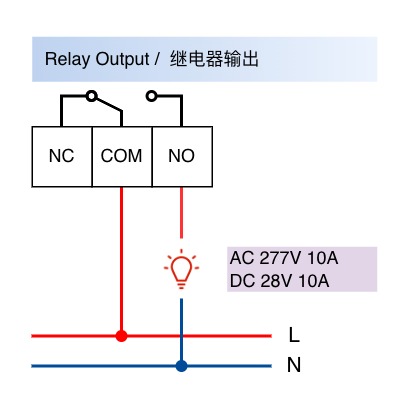
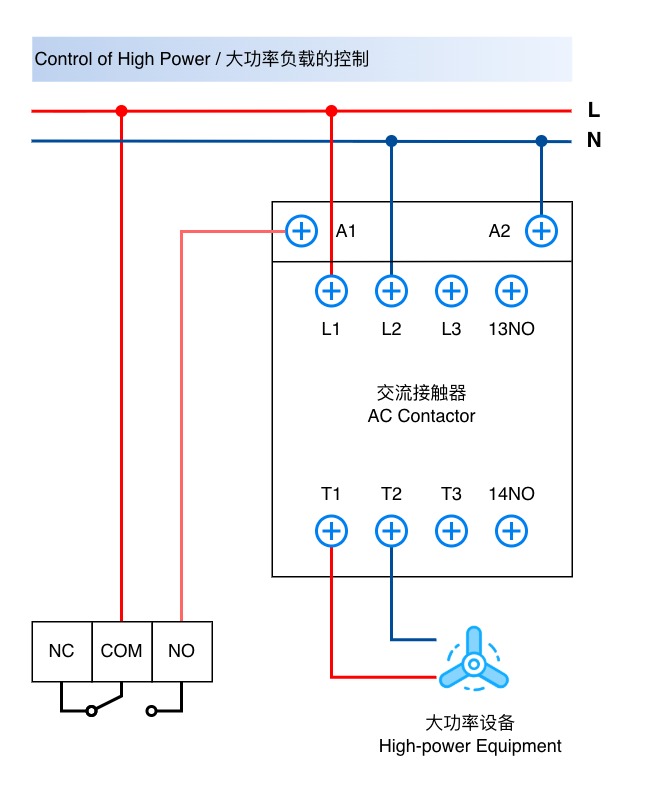
DO channels provide relay contact outputs for valves, lights, alarms, and contactors.
Standard Load
| High-Power Load | Three-Phase Load |
|---|---|
 | 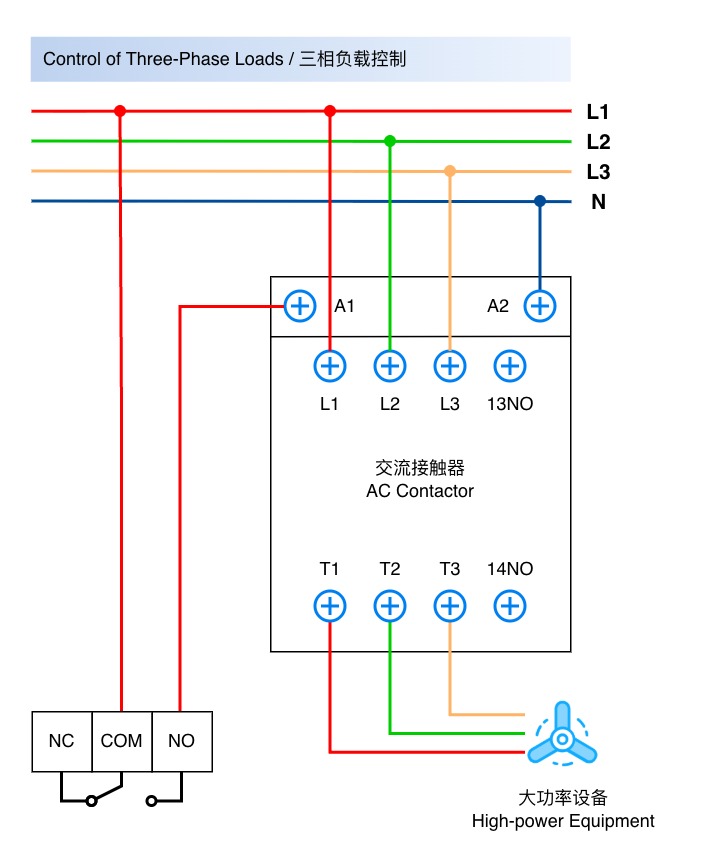 |
Wiring notes:
- Relay contacts do not output voltage; external load power is required
- Standard wiring: route load power line through COM and NO
- Use COM and NC for normally-on applications
- For AC high-voltage loads, use qualified personnel and proper insulation / fuses
AI Wiring Diagram
AI channels are available on Y301-222 and Y301-444 only.
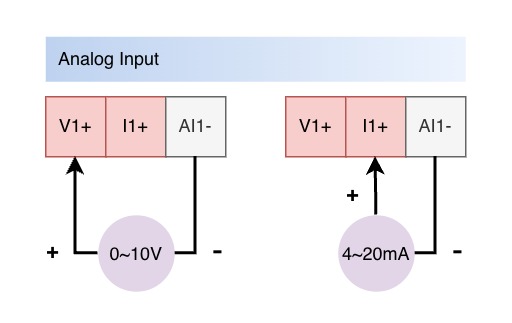
Each channel accepts one voltage or current signal at a time. Use the voltage or current terminals for the fitted input range. The available information does not establish a software register for changing the physical range.
- Voltage signals use
Vn+andAIn-. - Current signals use
In+andAIn-. - Two-wire transmitters require a powered current loop; use the transmitter's wiring diagram.
- Keep the unused voltage or current positive terminal disconnected.
- Match the sensor range to the ordered AI range.
Common Applications
| Application | Recommended Model | Description |
|---|---|---|
| Two-channel status acquisition and two-channel relay control | Y301-220 | Small equipment control |
| Level, pressure, or temperature sensors with relay control | Y301-222 / Y301-444 | Process monitoring and automation |
| Multi-zone lighting, valve, or pump control | Y301-440 / Y301-880 | Control panels with multiple points |
- Manufacturer: Hunan YenGear Tech Co., Ltd.
- Email: [email protected]
- Website: www.yengear.com