
Appearance
Y311-440-W/R Remote I/O Module Specification
| Y311-440-W | Y311-440-R |
|---|---|
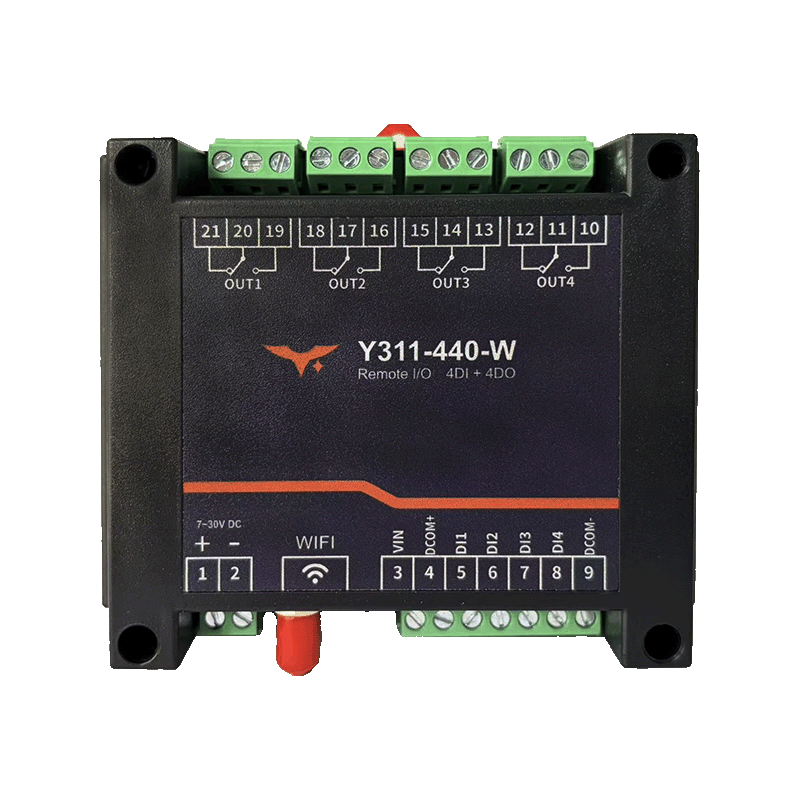 | 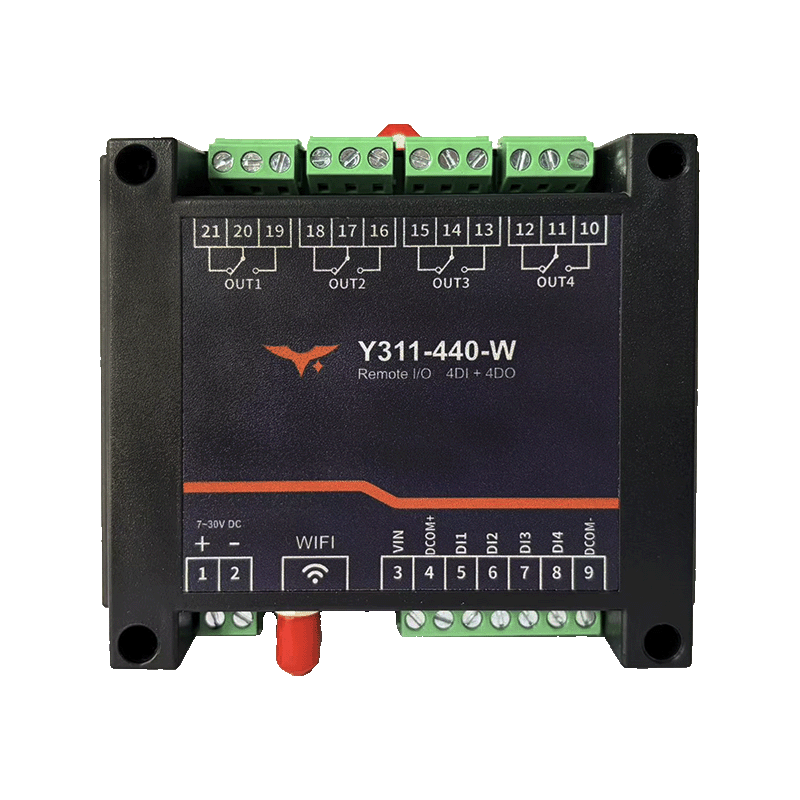 |
Reference: Y311-440/660/880-W/R Technical Manual
Contents
- Overview
- Ordering Information
- Key Features
- Technical Specifications
- Interfaces and Pin Definition
- Mechanical and Environmental
- Installation and Wiring
- Important Notes
1. Overview
Y311-440 is a 4DI + 4DO remote I/O module available in two network variants:
Y311-440-W: Wi-Fi versionY311-440-R: RJ45 Ethernet version
Both versions share the same DI and DO channel count, relay capability, control logic, and Modbus mapping. The main difference is the network interface and default network settings.
| Model | DI | DO | Connectivity | Typical Applications |
|---|---|---|---|---|
| Y311-440-W | 4 | 4 | 2.4 GHz Wi-Fi, AP/STA | Remote pump or valve control, power distribution monitoring, building lighting interlock |
| Y311-440-R | 4 | 4 | 10/100M RJ45 Ethernet | Remote pump or valve control, power distribution monitoring, building lighting interlock |
2. Ordering Information
2.1 Model Naming
text
Y311 - 4 4 0 - W / R
  |        | \------ W: Wi-Fi; R: RJ45 Ethernet
  |        \-------- 440: 4 x DI / 4 x DO / 0 x AI
  \----------------- Y311: Remote I/O module family
2.2 SKU and Network Capability
| SKU | Description | Connectivity | Interfaces | Power |
|---|---|---|---|---|
| Y311-440-W | 4DI + 4DO, Wi-Fi remote I/O module | 2.4 GHz Wi-Fi AP/STA | Power terminal, Wi-Fi antenna, COM/DI, relay terminals, DIP, RESET | 7 to 40 VDC |
| Y311-440-R | 4DI + 4DO, Ethernet remote I/O module | 10/100M RJ45, static IP or DHCP | Power terminal, RJ45, COM/DI, relay terminals, DIP, RESET | 7 to 40 VDC |
3. Key Features
4DI + 4DORemote I/O: Balanced input and output count for basic monitoring and control.- Wi-Fi or Ethernet Versions: Choose wireless deployment or fixed wired networking for the same I/O point set.
- Standard Modbus Control: Supports status collection, relay output, pulse actions, and basic interlock logic.
10 ARelay Outputs: Suitable for pumps, valves, alarms, lighting, and other switching loads.- Wide
7 to 40 VDCInput: Fits common field cabinets and industrial power systems. - Remote Configuration and Maintenance: Easy to integrate with upper computers, gateways, and standard Modbus tools.
4. Technical Specifications
4.1 Network and Communication
| Parameter | Y311-440-W | Y311-440-R |
|---|---|---|
| Network Interface | 2.4 GHz Wi-Fi | 1 x RJ45, 10/100 Mbps |
| Network Mode | AP / STA | Static IP / DHCP |
| Default Management IP | 192.168.16.254 | 192.168.1.7 |
| Default Port | 60000 (AP) / 10000 (TCP) | 10000 |
| Device Address | 0 to 255 | 0 to 255 |
| Baud Rate | 2400 / 4800 / 9600 / 19200 / 38400 bps | Same as left |
4.2 Digital Input
| Item | Specification |
|---|---|
| Channel Count | 4 x |
| Type | Dry contact / wet contact |
| Debounce | Adjustable, 5 to 255 ms |
4.3 Digital Output
| Item | Specification |
|---|---|
| Channel Count | 4 x relay |
| Contact Rating | 10 A @ 30 VDC / 10 A @ 250 VAC |
| Response Time | Operate <10 ms, release <5 ms |
4.4 Electrical and System
| Parameter | Specification |
|---|---|
| Supply Voltage | 7 to 40 VDC |
| Indicators | PWR, DO1 to DO4 |
| Reset | Supported |
5. Interfaces and Pin Definition
| Interface | Y311-440-W | Y311-440-R |
|---|---|---|
| Wi-Fi Antenna | Standard | Not available |
| RJ45 | Not available | Standard |
COM+ / COM- / DI1 to DI4 | Standard | Standard |
CH1 to CH4 relay terminals | Standard | Standard |
DIP / RESET | Standard | Standard |
6. Mechanical and Environmental
| Parameter | Specification |
|---|---|
| Dimensions | 115 x 95 x 41 mm |
| Mounting | DIN rail or panel mounting |
| Operating Temperature | -40 to 85 C |
| Humidity | 5 to 95% RH, non-condensing |
7. Installation and Wiring
- Connect a
7 to 40 VDCpower supply. - For
-W, configure Wi-Fi. For-R, connect the RJ45 Ethernet cable. - Wire the DI and DO terminals according to the field signals and loads.
- Set the device address and network parameters, then complete Modbus commissioning.
8. Important Notes
Y311-440-WandY311-440-Rare two separate models, not one device with both Wi-Fi and RJ45.- Choose
-Rfor wired projects and-Wfor wireless access. - If the load exceeds the relay rating, add an external contactor or solid-state relay.
- Manufacturer: Hunan YenGear Tech Co., Ltd.
- Address: Room 21014, Building 1, Fudi Xingguang Tiandi, Yingxin Road, Yuhua District, Changsha, Hunan, China
- Email: [email protected]
- Website: www.yengear.com