
Appearance
Create and manage schedules
Schedules send actions to control points at specified times, such as starting a pump each morning or running ventilation at intervals. Managers and Owners can maintain schedules; other members with project access can view them.
Create a schedule
- Open Project → Automation → Schedules and click New Schedule.
- Select a device, control point, and action.
- Enter a name and choose a trigger mode and time.
- Set a duration if the action should end automatically.
- Check the summary and enabled status, then save.
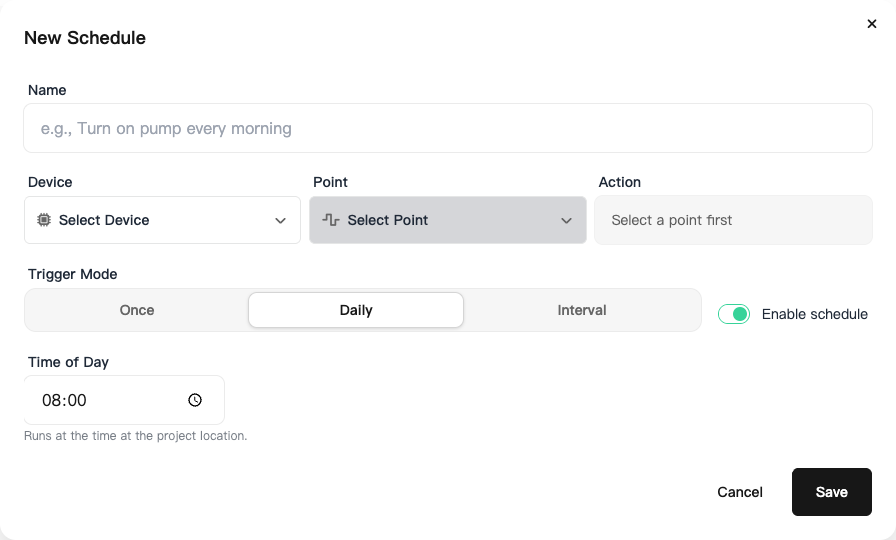
Point type determines available actions. Switches support on and off; motors support forward, reverse, and stop. Alarm-device levels and display content are not included in these general schedule actions.
Trigger modes
| Mode | Settings |
|---|---|
| Once | A date and time |
| Daily | A daily time at the project location |
| Interval | An interval of 1–1440 minutes, with an optional daily active window |
An active window must start before it ends and cannot cross midnight. Split overnight operation into appropriate separate configurations rather than entering an end time earlier than the start.
Duration
After an action such as on or forward, a duration can trigger the corresponding off or stop action. The form shows the ending action.
For example, start a pump at 08:00 and stop it after 20 minutes. For interval schedules, the duration must be shorter than the interval so one run ends before the next begins. Without a duration, no ending action is added automatically.
Enable, disable, and inspect runs
Open a schedule's details and use its menu to edit, enable, disable, or delete it. Disable it to pause operation while keeping the settings.
Run records show time, phase, action, and result. Gateway accepted means the gateway accepted the command; check point reports and field status for the actual result. For failures, check device connectivity, point type, project time, and enabled status.
The cloud triggers these schedules, so field equipment must be able to receive commands. They are not local timers that continue operating through a device network outage.