
Appearance
Y401-11/22/44/99-L Point-to-Point Wireless I/O Module User Manual
Product Introduction
Applicable models: Y401-11-L, Y401-22-L, Y401-44-L, Y401-99-L.
Y401 transfers dry-contact or NPN open-collector input states between two factory-paired modules over LoRa. Each input controls the matching relay output on the remote module. No gateway or Internet connection is required.
Use the linked model specifications for dimensions and technical ratings, and the Selection Guide for model comparison.
Operating Logic
Channel Mapping
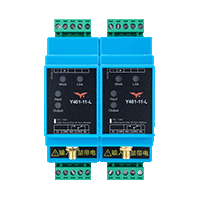
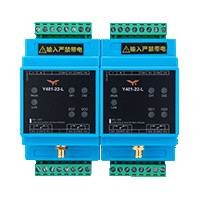
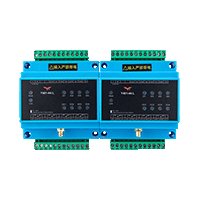
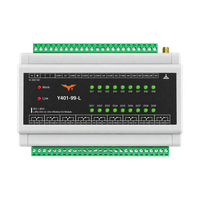
Y401 uses two paired devices: Device A and Device B. When a DI on one device closes, the corresponding DO relay on the other device energizes. When the input opens, the remote relay resets.
| Model | Device A Input | Device B Output | Device B Input | Device A Output |
|---|---|---|---|---|
| Y401-11-L | DI1 | DO1 | DI1 | DO1 |
| Y401-22-L | DI1–DI2 | DO1–DO2 | DI1–DI2 | DO1–DO2 |
| Y401-44-L | DI1–DI4 | DO1–DO4 | DI1–DI4 | DO1–DO4 |
| Y401-99-L | DI1–DI9 | DO1–DO9 | DI1–DI9 | DO1–DO9 |
Communication Loss
If wireless communication is lost, the receiver retains the last relay output states for approximately 60–120 seconds. If communication has not recovered by then, the relay outputs automatically reset to the de-energized (OFF) state. The normally open (NO–COM) contacts open. This timeout is separate from the normal input-following logic.
Installation and Wiring
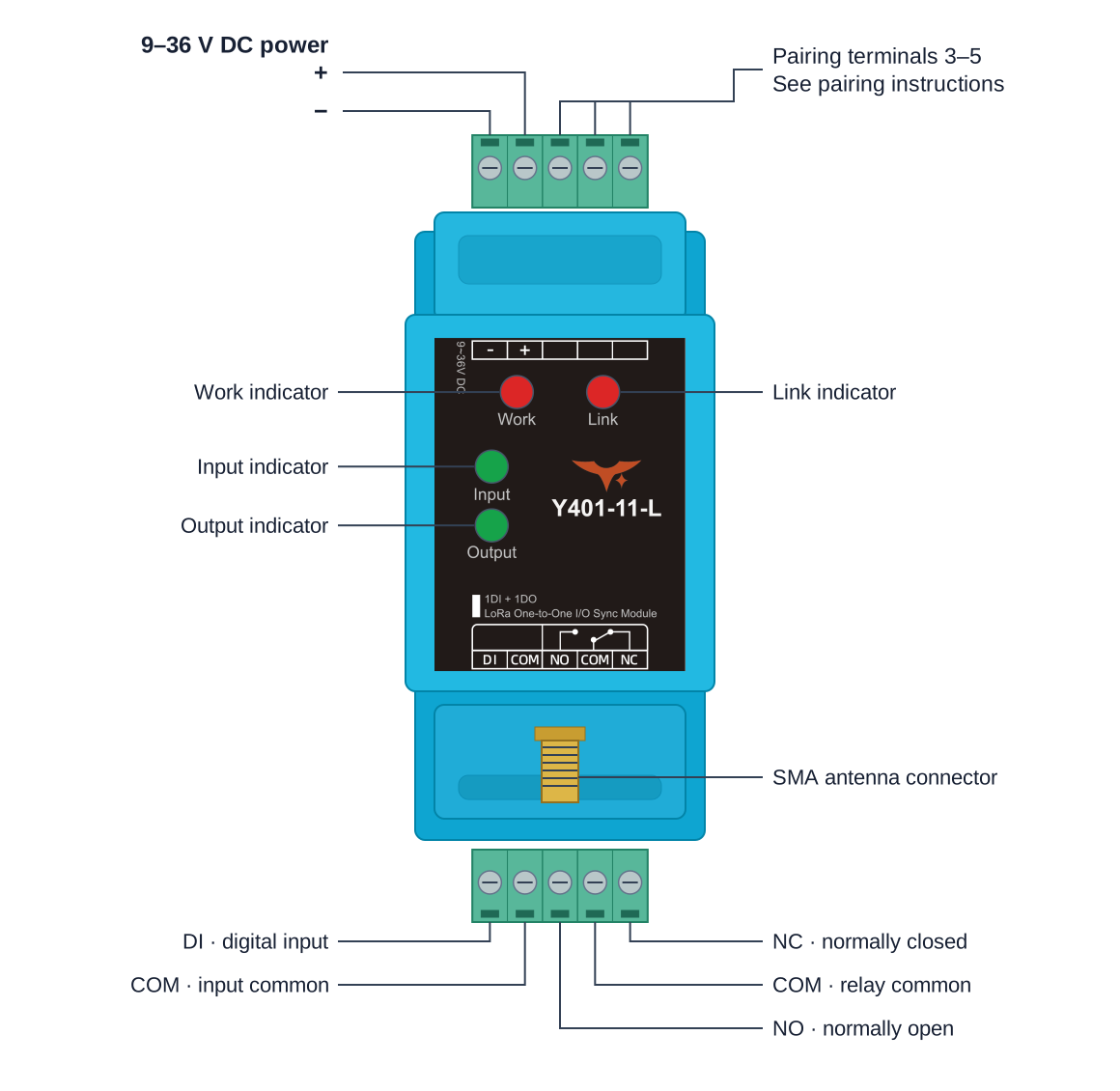
The cover shows Y401-11-L. Identify terminals from the device markings and the applicable model specification. Input COM and relay COM serve different circuits.
Power Wiring
Disconnect module and load power before wiring. Connect each module's marked power + and − to a regulated 9–36 V DC supply. Check polarity before power-up.
Antenna Installation
- Connect the supplied matching antenna before power-up and tighten the SMA connector by hand.
- Mount the antenna vertically, about 2 m above ground where possible, clear of metal structures and outside metal cabinets.
- Mount the module on a 35 mm DIN rail inside a suitable enclosure. Leave space for wiring and ventilation.
Input Wiring
Connect a dry contact between DI and input COM. For an NPN open-collector output, connect its collector to DI and emitter or 0 V reference to input COM. Power the sensor separately according to its rating. On Y401-99-L, use the selected channel's input and its matching common terminal; repeat for channels 1–9.

No voltage input on DI
Do not connect sensor power or a voltage-output signal directly to DI. Use an intermediate relay for PNP or other powered outputs, and connect only its dry contact to DI and COM.
Output Wiring
When the relay energizes, NO–COM closes and NC–COM opens.
The relay contacts supply no voltage. Wire the external load supply and load in series through relay COM and NO for normally open operation. Fit overcurrent protection and surge suppression for the load.
Small Loads

Use the contact rating for the connected model: Y401-11/22/44-L allow 5 A at 277 V AC or 28 V DC; Y401-99-L allows 5 A at 250 V AC or 28 V DC. Use a suitably rated external contactor or power relay for high-power or inductive loads; the module switches its coil.
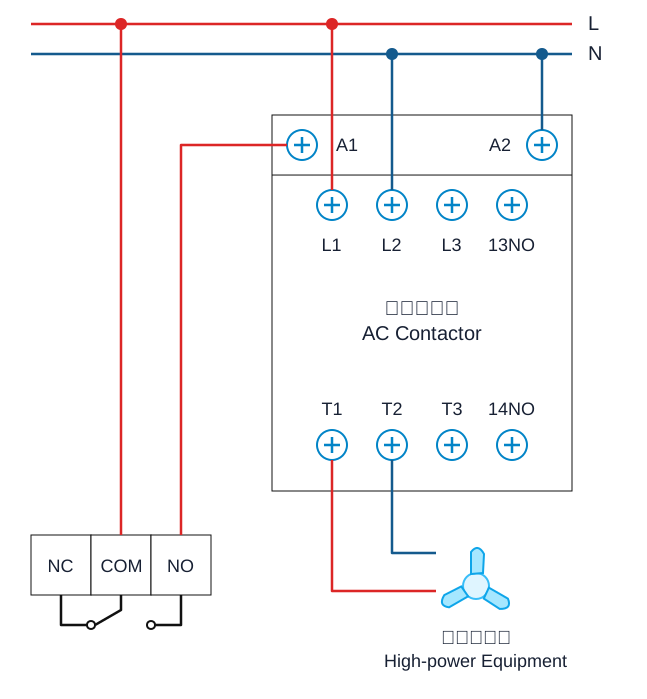
Contactor-Controlled Loads
Large Loads
The contactor switches the equipment load; the module switches the contactor coil.
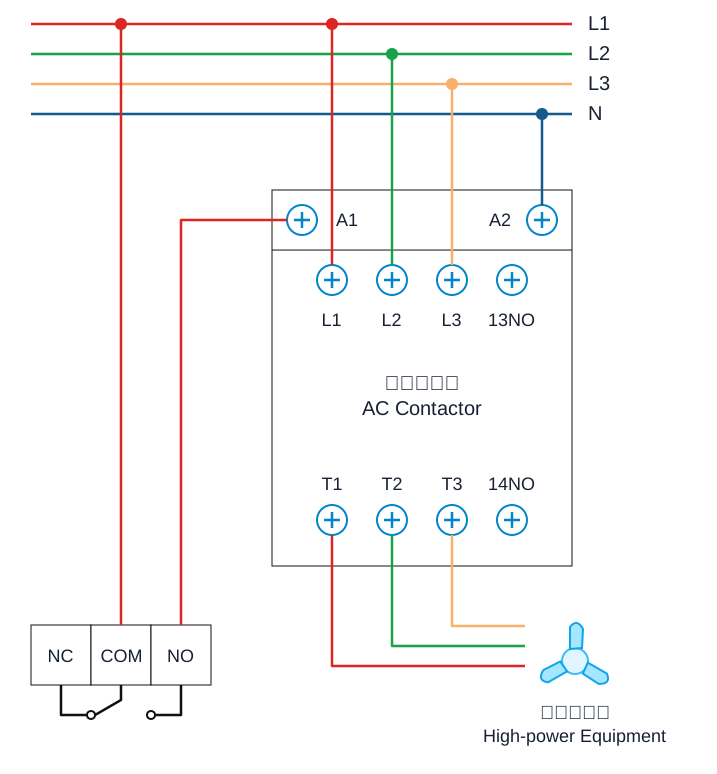
Three-Phase Equipment
Use a three-phase contactor to switch the motor circuit.
Pairing and Configuration
Use the supplied factory-matched pair; normal operation needs no on-site configuration.
Y401-11-L, Y401-22-L, and Y401-44-L
To replace or re-pair one of these models, use the three-wire procedure below. These terminal positions do not apply to Y401-99-L.
- Power off both units and isolate the loads.
- Connect the temporary pairing wires between the two units: position 3 to 4, position 4 to 3, and position 5 to 5. The positions are shown in the pairing diagram; confirm the physical terminal markings on the device.
- Connect each unit to its 9–36 V DC supply, observing polarity.
- Power on and wait for both link indicators to remain on.
- Power off, remove the temporary pairing wires, then power on and test the wireless control logic.
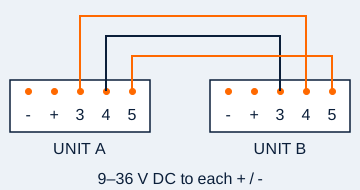
Y401-99-L
For a replacement unit or re-pairing, obtain the procedure for the supplied Y401-99-L hardware from YenGear. Do not short its signal terminals using the diagram above.
Commissioning
Initial Setup
Before applying power, check the model, channel assignments, pairing, antennas, power polarity, and signal/load wiring. Keep control loads isolated during the functional checks.
LED Indicators
| LED | Status |
|---|---|
| Work / Power | On after power-up |
| Link | On when the wireless link is established; on Y401-99-L, off or flashing indicates an abnormal link |
| Input / Input 1–9 | On when the corresponding DI is closed |
| Output / Output 1–9 | On when the corresponding relay is energized |
Functional Checks
- Isolate the control loads and power both paired devices with their antennas connected.
- Close Device A DI1 and confirm that Device B DO1 energizes; open DI1 and confirm that DO1 resets.
- Repeat from Device B DI1 to Device A DO1.
- For Y401-22-L, Y401-44-L, and Y401-99-L, repeat in both directions for every channel. On Y401-99-L, check all nine channels and confirm that other outputs remain unchanged.
- Test at the installed locations before connecting the control loads. With loads isolated, verify the communication-loss reset described above.
Troubleshooting
| Symptom | Checks |
|---|---|
| No wireless link | Check power at each unit, antenna connections and placement, and the supplied pairing or completed pairing procedure. |
| Input indicator does not turn on | Check the dry contact or NPN open-collector connection between DI and COM. Do not apply a voltage signal to DI. |
| Relay action does not match the expected input | Check the input channel number against the corresponding output on the paired device. Repeat the test in the reverse direction. |
| Relay operates but the load does not | Check NO/COM/NC selection, the external load supply, wiring, protection devices, and load ratings. Relay contacts do not supply voltage. |
| Intermittent communication or timeout reset | Check antenna clearance, obstructions, interference, and power at the final locations. Isolate control loads while checking the communication-loss behavior. |
Safety Notes
- Use a certified power supply and confirm polarity before power-up.
- Do not install the device in explosive, high-humidity, corrosive, or heavily dusty environments.
- Do not exceed the relay contact rating.
- Do not use the wireless link as the only protection path for emergency stop, personnel safety, or other hard real-time safety functions.
- High-voltage AC wiring must be performed by qualified personnel.
- Manufacturer: Hunan YenGear Tech Co., Ltd.
- Address: Room 21014, Building 1, Fudi Xingguang Tiandi, Yingxin Road, Yuhua District, Changsha, Hunan, China
- Email: [email protected]
- Website: www.yengear.com